
Location History Viewer1.4.1 - Google Play
You'll be able to see results in few seconds.
Publisher Description
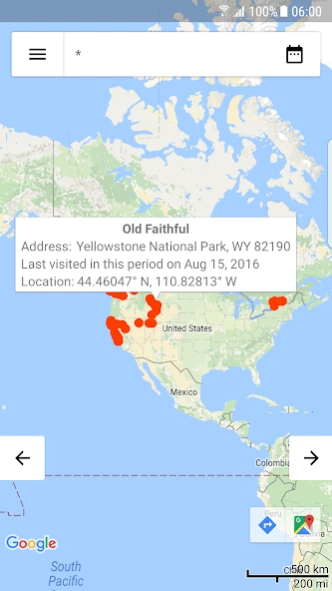
Location History Viewer gives you fast access to the places you've visited.
Location History Viewer wraps your Google Timeline / Google Location History data in a modern, fast and intuitive GUI. It can help you find answers to question like:
– 'Where was I five month ago?'
– 'When was the last time I visited San Francisco?' or
– 'What places visited I so far?'
Each answer can be provided in just a few seconds, right after you logged into the Google Timeline with your Google Account.
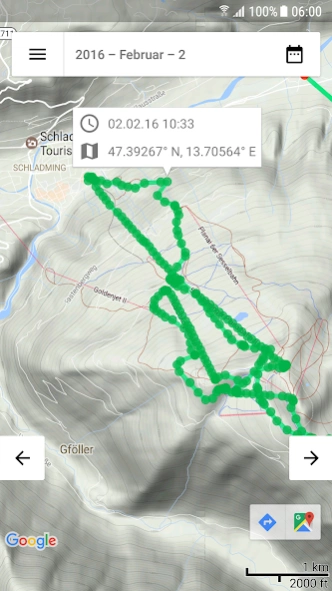
The answers will then be shown on a map as red dots. If you select a single day, the app even shows you what path you took to get to those points. And for hitchhikers, skies, mountain bikers, … : It's also possible to get more detailed information about the locations the path consists of.
The app features:
– information about places you visited in a daily, monthly, yearly or all time overview directly fetched from the Google Timeline / Google Location History
– a daily view, with details about the path you took to get from one place to another
– switch easily between your location history from years, month or days with the fast access buttons on the edges
– fast access to the daily location history. Press an information window above a marker and the view will change to the location history of the day you last visited this location.
– a scale bar in the bottom right corner so that you can check the distances between places easily
– a full screen mode without any GUI elements. Just tap the screen!
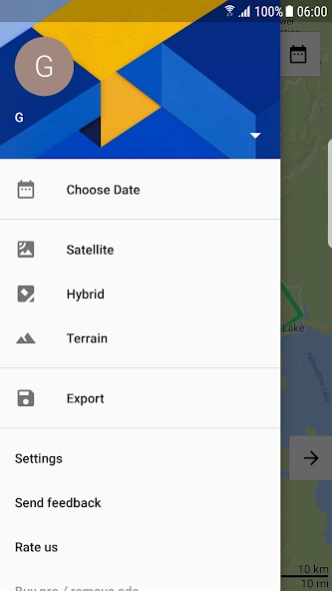
– multiple user accounts. And to show you that we only access your timeline / location history, we don't even get your email address or profile picture, instead you can give the user account any name you want.
– fast access to Google Maps every time you click on a marker (in bottom right corner).
– an option to show all recorded markers that your daily timeline / location history consists of (Warning: Can reduce the performance!)
- export +30 days from your location history / timeline as GPX or KML files (GPX can be used for geotagging in e.g. Adobe Lightroom)
– fast clipboard access. When you look at your daily location history, just click any information window above a marker, switch to your messenger app and paste it from your clipboard
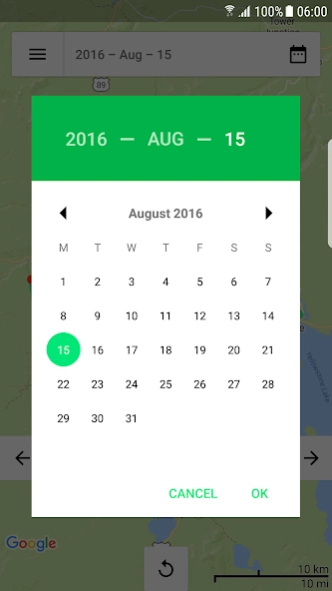
– a date selector where you can switch between the timeline / location history of single days, months or years with only a few clicks
– a modern, fast, easy to use and informative GUI
Note:
1. This app retrieves the information from your Google Timeline (in the past Google Location History). Check if you've recorded any data so far on https://www.google.com/maps/timeline or in your Google Maps app.
2. This app only works with internet access
If you find any bugs or just have some feedback, write me on thermalcamera.app@gmail.com
About Location History Viewer
The company that develops Location History Viewer is Elisabeth Friedrich. The latest version released by its developer is 1.4.1.
To install Location History Viewer on your Android device, just click the green Continue To App button above to start the installation process. The app is listed on our website since 2019-01-13 and was downloaded 0 times. We have already checked if the download link is safe, however for your own protection we recommend that you scan the downloaded app with your antivirus. Your antivirus may detect the Location History Viewer as malware as malware if the download link to thermcam.georg.locationhistoryviewer is broken.
How to install Location History Viewer on your Android device:
- Click on the Continue To App button on our website. This will redirect you to Google Play.
- Once the Location History Viewer is shown in the Google Play listing of your Android device, you can start its download and installation. Tap on the Install button located below the search bar and to the right of the app icon.
- A pop-up window with the permissions required by Location History Viewer will be shown. Click on Accept to continue the process.
- Location History Viewer will be downloaded onto your device, displaying a progress. Once the download completes, the installation will start and you'll get a notification after the installation is finished.
Program Details
System requirements
Download information
Pricing
Version History
version 1.4.1
posted on 2019-01-13
- Fixed login problems
- Fixing app crash on Android P
Disclaimer
Official Google Play Link
We do not host Location History Viewer on our servers. We did not scan it for viruses, adware, spyware or other type of malware. This app is hosted by Google and passed their terms and conditions to be listed there. We recommend caution when installing it.
The Google Play link for Location History Viewer is provided to you by apps112.com without any warranties, representations or guarantees of any kind, so access it at your own risk.
If you have questions regarding this particular app contact the publisher directly. For questions about the functionalities of apps112.com contact us.
